
The Dell OptiPlex 7040 Mini Tower Quick Start Guide provides information on how to set up and use the Dell OptiPlex 7040 Mini Tower.
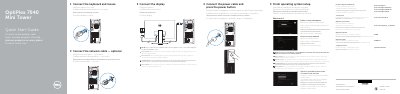
The Dell OptiPlex 7040 Mini Tower Quick Start Guide provides setup steps for the computer. It covers finishing operating system setup, enabling security and updates, connecting to a network, signing in to a Microsoft account or creating a local account, and setting a Windows password.
The guide also lists the computer's ports and connectors, including USB 2.0 and USB 3.0, HDMI, DisplayPort, VGA, serial, PS2, network, and audio connectors. It includes notes on connecting a display to a discrete graphics card if one was ordered, and on installing system drivers when upgrading from 32-bit Windows 7 to Windows 10.
| HDMI | Connector |
|---|---|
| DisplayPort | Connector |
| VGA | Connector (optional) |
| Memory card reader | Optional |
| USB 2.0 | Connector with PowerShare |
| USB 2.0 | Connectors (Supports Smart Power On) |
| Network | Connector |
| Power-supply diagnostic button | Diagnostic button |
Follow the instructions on the screen to finish setup.
Enter the password for the wireless network access when prompted.
Use Dell.com/support/manuals for product support and manuals.
Connect the display to the discrete graphics card.