
The Latitude 3189 Quick Start Guide provides instructions on how to connect the power adapter, locate Dell applications, finish Windows 10 setup, sign in to your Microsoft account or create a local account, and connect to your network.
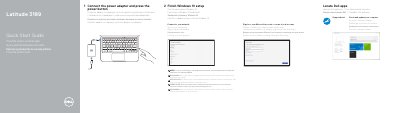
This two-page quick start guide from Dell covers the first steps for setting up the Latitude 3189 computer: connecting the power adapter and pressing the power button, locating Dell apps such as SupportAssist, finishing Windows 10 setup, signing in with a Microsoft account or creating a local account, and connecting to a network. A note explains that a password must be entered when connecting to a secured wireless network.
The guide also lists the computer's features with numbered callouts, including the camera, world-facing camera, microphones, Noble wedge lock slot, volume control button, power button, battery status light, universal audio jack, speakers, touchpad, USB 3.0 port, USB 3.0 port with PowerShare, HDMI port, microSD card reader, power connector port and service tag label. Support, manual, contact and regulatory web addresses are given, along with the regulatory model P26T, regulatory type P26T001 and computer model Latitude 3189.
| USB ports | USB 3.0 port; USB 3.0 port with PowerShare |
|---|---|
| Video port | HDMI port |
| Card reader | microSD card reader |
| Audio jack | Universal audio jack |
| Lock slot | Noble wedge lock slot |
| Cameras | Camera and world-facing camera |
| Regulatory model | P26T |
| Regulatory type | P26T001 |
Connect the power adapter and press the power button.
Dell lists Dell.com/support for product support and Dell.com/support/manuals for manuals.
Finish Windows 10 setup, sign in to your Microsoft account or create a local account, and connect to your network.
Regulatory and safety information is available at Dell.com/regulatory_compliance.