
Dell OptiPlex 3050 Tower Quick Start Guide
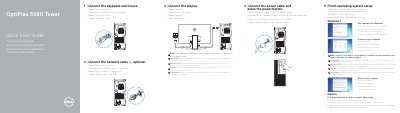
This Quick Start Guide covers the Dell OptiPlex 3050 Tower desktop computer. It explains how to connect the keyboard, mouse, display, network cable, and power cable, then turn on the system.
The guide also includes steps to finish Windows 7 or Ubuntu setup, set a password, connect to a network, and protect the computer. It lists product features, support websites, and regulatory information including regulatory model D18M.
| Computer model | OptiPlex 3050 Tower |
|---|---|
| Regulatory model | D18M |
| HDMI port | Included |
| USB 3.0 ports | Included |
| Network port | Included |
Connect the display to the computer, or to the discrete graphics card if the computer was ordered with one.
The guide covers finishing Windows 7 setup and Ubuntu setup.
Visit Dell.com/support and Dell.com/support/manuals.
The regulatory model is D18M.