
The Dell OptiPlex 7040 Small Form Factor Quick Start Guide provides information on how to set up and use the Dell OptiPlex 7040 Small Form Factor.
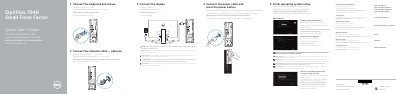
This guide covers initial setup of the Dell OptiPlex 7040 Small Form Factor computer, including connecting the keyboard, mouse, display, network cable, and power cable, then finishing operating system setup.
It also lists the front and rear features and connectors of the OptiPlex 7040 SFF and describes tasks such as setting a Windows password, connecting to a network, protecting the computer, locating Dell apps, registering the device, and using Dell Backup and Recovery, Dell Data Protection | Protected Workspace, and Dell SupportAssist.
| Computer model | OptiPlex 7040 SFF |
|---|---|
| Regulatory model | D11S |
| Regulatory type | D11S001 |
| Operating system options | Windows 8.1, Windows 7, Ubuntu |
| Display connectors | HDMI, DisplayPort, VGA (optional) |
| USB ports | USB 2.0 and USB 3.0 |
| Memory card reader | Optional |
Connect the display to the discrete graphics card if the computer was ordered with one; otherwise use the computer's display connector.
Enter the password for wireless network access when prompted.
Follow the instructions shown on the screen to complete setup.
Yes. The guide states that an upgrade from Windows 7 32-bit to Windows 10 requires manual installation of the system drivers, and the latest drivers are available at dell.com/support.