
OptiPlex 7050 Tower Quick Start Guide
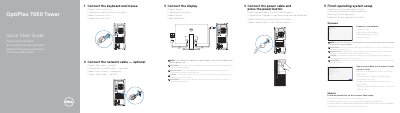
The guide gives setup steps for the Dell OptiPlex 7050 Tower: connect the keyboard and mouse, connect the network cable if needed, connect the display, connect the power cable and press the power button, then finish operating system setup for Windows or Ubuntu. It notes that if a discrete graphics card was ordered, the display should be connected to that card.
The second page covers locating Dell apps such as SupportAssist, which is used to check and update the computer. It also lists features including USB 2.0 and USB 3.0 ports, a USB 3.0 Type-C port, HDMI, DisplayPort, optional VGA, PS/2 ports, expansion card slots, a network port and security cable slots, and provides support and regulatory links. This manual is written in Czech.
| Computer model | OptiPlex 7050 Tower |
|---|---|
| Regulatory model | D18M |
| Regulatory type | D18M003 |
Connect the keyboard and mouse first.
Connect the display to the discrete graphics card.
Follow the instructions on the screen to finish setup.
Use Dell SupportAssist to check and update your computer.