
Dell Latitude 12 5000 Series E5270 Laptop Quick Start Guide
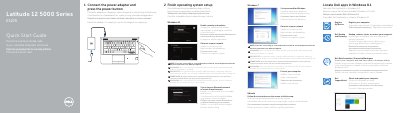
This Quick Start Guide describes the initial setup of the Dell Latitude 12 5000 Series E5270 laptop. It covers connecting the power adapter, pressing the power button, locating Dell apps in Windows 8.1, registering the computer, and using Dell Backup and Recovery, Dell Data Protection | Protected Workspace, and Dell SupportAssist.
The guide also covers finishing operating system setup for Windows 7, Windows 8.1, and Ubuntu, including setting a password, connecting to a network, enabling security and updates, and signing in to a Microsoft account or creating a local account. A numbered features diagram lists the laptop's ports, controls, indicators, and optional readers.
| Regulatory model | P23T |
|---|---|
| Regulatory type | P23T001 |
| Computer model | Latitude 12-E5270 |
| USB ports | USB 3.0 connector |
| Video connectors | VGA connector; HDMI connector |
| Memory card reader | SD memory card reader |
| Document date | 2016-07 |
Connect the power adapter and press the power button.
The guide lists Register My Device, Dell Backup and Recovery, Dell Data Protection | Protected Workspace, and Dell SupportAssist.
Enter the password for wireless network access when prompted.
The guide covers setup for Windows 7, Windows 8.1, and Ubuntu.