
This document describes the specifications and features of a Dell computer.
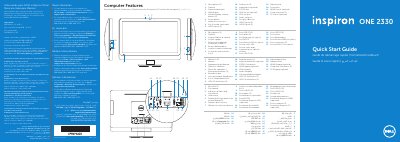
This quick start guide for the Dell Inspiron One 2330 all-in-one computer lists the front and rear features, including microphones, camera, optical drive, 8-in-1 media-card reader, USB 3.0 and USB 2.0 ports, network port, HDMI-in, VGA-in, VGA-out, composite, and TV-in ports.
The guide also provides NOM regulatory information for Mexico, including the regulatory model W05C, input voltage of 100 to 240 VAC, input frequency of 50 Hz/60 Hz, and rated output current of 2.9 A. Setup steps cover connecting the power cable, keyboard and mouse, pressing the power button, completing Windows setup, and recording the Windows password and Service Tag. This manual is written in Spanish.
| Computer model | Inspiron One 2330 |
|---|---|
| Regulatory model | W05C |
| Type | W05C001 |
| Input voltage | 100 to 240 VAC |
| Input frequency | 50 Hz/60 Hz |
| Rated output current | 2.9 A |
| USB 3.0 ports | 4 (2 front, 2 rear) |
| USB 2.0 ports | 2 |
| Media-card reader | 8-in-1 |
| Microphones | 2 |
| Composite ports | 3 |
The regulatory model is W05C and the type is W05C001.
The computer accepts 100 to 240 VAC at 50 Hz/60 Hz, with a rated output current of 2.9 A.
Locate the Service Tag on the computer and record it in the provided space before contacting support.
Open Dell Help Documentation from the Start menu or visit support.dell.com/manuals.