
Dell Vostro 3252 Quick Start Guide

The Dell Vostro 3252 Quick Start Guide provides instructions on how to use the Dell Vostro 3252 laptop.
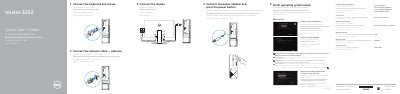

Dell Vostro 3252 Quick Start Guide - cover page
Brand
DELL
Category
Desktops
Document type
Quick Start Guide
Language
English
Pages
2
File format
PDF
File size
1.2 MB
Published
25 November, 2023
Updated
25 November, 2023
MD5 checksum
DD374154F33BD75FEA5AAED5B1783537

About this manual

This document serves as a multilingual quick start guide for the Dell Vostro 3252 computer. It provides instructions for essential initial setup tasks, including connecting peripherals like the keyboard, mouse, and power adapter, as well as configuring the operating system and network settings. The guide includes specific notes for securing wireless networks and setting up user accounts.

What's inside

  • Finish operating system setup
  • Enable security and updates
  • Connect to your network
  • Connect the keyboard and mouse
  • Connect the power adapter
  • Connect the display
  • Features
  • Set up password for Windows
  • Protect your computer
  • Locate Dell apps in Windows 8.1

Frequently asked questions

What should you do when connecting to a secured wireless network?

Enter the password for the wireless network access when prompted.

Which setup connection is described as optional?

Connecting the network cable is optional.

What is the regulatory model of the Vostro 3252?

The regulatory model is D14S.

What is the regulatory type of the Vostro 3252?

The regulatory type is D14S001.

Download PDF (1.2 MB)

More DELL Manuals


View all DELL manuals →