
Dell OptiPlex 7050 Micro Desktop Quick Start Guide
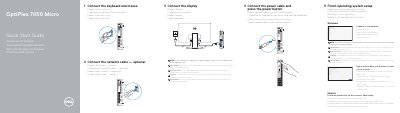
This document provides multilingual instructions for the initial setup of the Dell OptiPlex 7050 Micro desktop computer. It details the steps to connect essential peripherals such as the keyboard, mouse, network cable, and display, noting specific requirements for discrete graphics cards. The guide also covers the initial power-on sequence and the completion of the operating system setup for Windows, Ubuntu, or other supported systems. This manual is written in Czech.
Connect the display to the discrete graphics card instead of the motherboard port.
Enter the password for the wireless network access when prompted.