
Dell Vostro 15 3000 Series Notebook Quick Start Guide

Dell Vostro 15 3000 Series Notebook Quick Start Guide
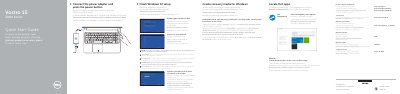

Dell Vostro 15 3000 Series Notebook Quick Start Guide - cover page
Brand
DELL
Document type
Quick Start Guide
Language
English
Pages
2
File format
PDF
File size
511 KB
Published
25 November, 2023
Updated
25 November, 2023
MD5 checksum
0CFA475C1963FD999F95197EA1DC80E0

About this manual

This guide helps you set up your Dell Vostro 15-3568 notebook quickly. It covers connecting power, creating recovery media, locating Dell apps, and setting up Windows. The guide also lists the device's features, including camera, microphone, fingerprint reader, USB ports, HDMI/VGA, and touchpad.

For network setup, connect to Wi-Fi or Ethernet, and sign in to your Microsoft account or create a local account. The guide includes shortcut key functions for audio, volume, playback, brightness, and wireless toggles.

What's inside

  • Connect the power adapter and press the power button
  • Create recovery media for Windows
  • Locate Dell apps
  • Dell SupportAssist Check and update your computer
  • Finish Windows 10 setup
  • Enable Support and Protection
  • Connect to your network
  • Sign in to your Microsoft account or create a local account
  • Features
  • Shortcut keys

Frequently asked questions

How do I create recovery media for Windows?

In Windows search, type Recovery, click Create a recovery media, and follow the instructions on the screen.

How do I connect to a secured wireless network?

Enter the password for the wireless network access when prompted.

Download PDF (511 KB)

More DELL Manuals


View all DELL manuals →