
Dell Inspiron 20 3000 Series All-in-One Quick Start Guide

Inspiron 20 3000 Series Quick Start Guide.
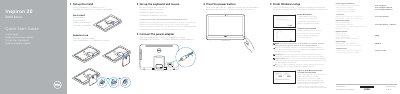

Dell Inspiron 20 3000 Series All-in-One Quick Start Guide - cover page
Brand
DELL
Category
All-in-One Desktops
Document type
Quick Start Guide
Language
English
Pages
2
File format
PDF
File size
590 KB
Published
25 November, 2023
Updated
25 November, 2023
MD5 checksum
58DC18C7C06C8C827514B9EB533B9F58

About this manual

The Dell Inspiron 20 3000 Series Quick Start Guide provides essential instructions for setting up the computer, including keyboard and mouse installation, stand assembly, and power connection.

It guides users through the initial Windows setup, network connection, and account creation, while detailing the hardware features and ports available on the device.

What's inside

  • Set up the keyboard and mouse
  • Set up the stand
  • Connect the power adapter
  • Finish Windows setup
  • Features
  • Create recovery media

Specifications

Computer modelInspiron 20-3059
USB 3.0 ports2
USB 2.0 ports2
Regulatory modelW15B

Frequently asked questions

How do I create recovery media for my Dell Inspiron 20 3000 Series?

In Windows search, type Recovery, click Create a recovery media, and follow the on-screen instructions.

What should I do if I am connecting to a secured wireless network?

Enter the password for the wireless network access when prompted.

Download PDF (590 KB)

More DELL Manuals


View all DELL manuals →