
The Dell Venue 8 tablet quick start guide.
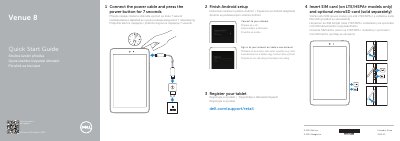
This Dell Venue 8 Quick Start Guide explains how to insert a SIM card and optional microSD card, connect the power cable, press the power button for 7 seconds, finish Android setup, register the tablet, sign in to an account, and connect to a network.
The document also lists the tablet model and regulatory identifiers, provides Dell support contacts, and includes a numbered diagram of device features such as the front and rear cameras, Micro-USB charging port, volume buttons, SIM-card slot, MicroSD-card slot, speaker, Service Tag label, power button, and headset port.
| Tablet model | Venue 8 LTE/3840 HSPA+/3840 |
|---|---|
| Regulatory model | T02D |
| Regulatory type | T02D003, T02D004 |
| Volume buttons | 2 |
| SIM-card slot | LTE/HSPA+ models only |
Insert the SIM card on LTE/HSPA+ models only, along with an optional microSD card sold separately.
Connect the power cable and press the power button for 7 seconds.
The guide covers Venue 8 LTE/3840 and HSPA+/3840 models.
The Service Tag label is item 10 in the device features diagram.