
The document describes the features and specifications of the EX600-SMJ series fieldbus system.
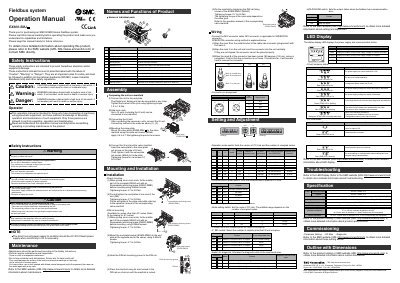
This operation manual covers the SMC EX600-SMJ Series Fieldbus system. It explains the product's safety instructions, part names and functions, assembly, installation, wiring, setting and adjustment, commissioning, troubleshooting, and specifications.
The text describes switch settings for operation mode, node number, communication speed, HOLD/CLEAR output behavior, diagnosis allocation, and SI unit output size. It also lists LED status displays and provides handling, maintenance, and specification notes.
| Operating temperature range | -10 to 50 °C (maximum surrounding air temperature rating: 50 °C) |
|---|---|
| Storage temperature range | -20 to 60 °C |
| Vibration resistance | 10 to 57 Hz: constant amplitude 0.75 mm p-p; 57 to 150 Hz: constant acceleration 49 m/s² for 2 hours each in X, Y, and Z directions |
| Impact resistance | 147 m/s², 3 times each in X, Y, and Z directions (de-energized) |
| Power supply | 24 VDC Class2, 2 A |
| Connected load | Solenoid valve with lamp and surge-voltage protection circuit, 24 VDC 1.5 W (SMC) |
| CC-Link communication speed settings | 156 kbps (default setting), 625 kbps, 2.5 Mbps, 5 Mbps, 10 Mbps |
| Number of connectable units per manifold | Up to 10 units (including the SI unit) |
| Pollution degree | Pollution Degree 2 (UL508) |
For one occupied node, the settable node number range is 1 to 64.
It sets the output status when the fieldbus has a communication error; the default is output Off, and the alternative holds the output.
A red LERR LED that is On indicates that a communication error has occurred.
The default communication speed setting is 156 kbps.