
The SMC ISE35 TFJ33GB-A digital pressure switch manual provides installation, setup, operation, and maintenance instructions.
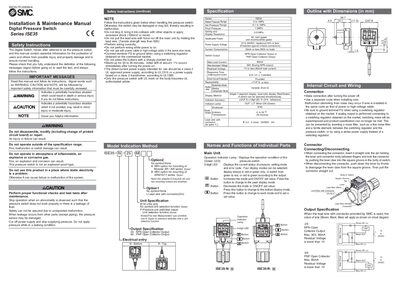
This manual covers safe handling, installation, wiring, and maintenance of the ISE35 TFJ33GB-A digital pressure switch. It includes safety warnings, power‑supply requirements, and mounting instructions to ensure reliable operation.
The document also describes the switch’s functions, such as pressure setting, hysteresis adjustment, output type selection, and error troubleshooting. Detailed button sequences allow users to configure display mode, response time, and security code settings.
| Power Supply Voltage | 12 to 24 VDC |
|---|---|
| Current Consumption (no load) | 55 mA or less |
| Hysteresis Setting Range | 0.01 MPa (1 psi) |
| Enclosure IP Rating | IP40 |
| Leadwire | 3 cores, 25 AWG, 2 m with connector |
Press the button once to increase the value by one figure, or hold it to continue increasing; press the other button to decrease, and press both to finish the setting.
Press the button five times in measurement mode to enter hysteresis adjustment, then increase or decrease the value with the buttons.
Turn off the power, remove the output factor for the overcurrent, then turn the power back on and perform a zero‑clear operation.
This manual explains 8 error codes. Open a code for its meaning, causes and what to do: