
SR21-IR/SR21-RG is a photoelectric infrared sensor with PNP and NPN outputs.
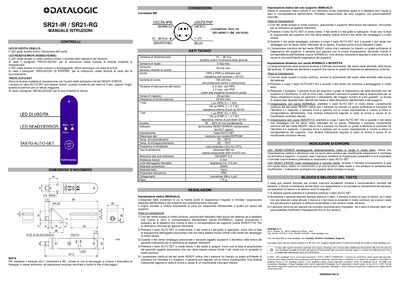
This manual describes the operation of the SR21-IR and SR21-RG photoelectric infrared sensors, including the meaning of the status LEDs, the AUTO‑SET button functions, and the mechanical features such as the M8 connector and IP65 protection. It also details the two configuration modes – static (manual) and dynamic – and how to switch between normal and inverted output.
Technical data such as power supply requirements, response time, output current limits, and emission characteristics are listed, together with instructions for mounting, wiring, and locking the sensor's button to prevent accidental changes. This manual is written in Italian.
| Power supply voltage | 10 … 30 Vcc |
|---|---|
| Ripple voltage | 2 Vpp max |
| Maximum current consumption | 55 mA |
| Output current (NPN/PNP) | 100 mA max |
| Saturation voltage NPN | 2 V max |
| Saturation voltage PNP | 2 V max |
| Response time | 20 µs max |
| Maximum switching frequency | 25 kHz |
| Storage temperature range | -20 °C … 70 °C |
| Emission frequency | 50 kHz +1054 |
| Emission wavelength | 880 nm (infrared) |
| Mechanical protection rating | IP65 |
| Weight | 115 g |
Place the support in the sensor mouth, press the AUTO‑SET button briefly, wait for the green LED to flash, then press AUTO‑SET again briefly to confirm; the green READY LED will stay on indicating successful static configuration.
A steady green LED means normal operation; a steady or blinking red LED indicates an error; alternating red and green blinking indicates a configuration error due to insufficient transparency.
With the sensor off, press and hold AUTO‑SET to lock the button; with the sensor on, press and hold AUTO‑SET to unlock it, after which the red LED will turn off and the green LED will stay on.