
StarTech.com SV831DVIU 8 Port 1U Rackmount DVI USB KVM Switch Instruction Manual

This is an 8-port 1U rackmount DVI USB KVM switch. It allows you to switch between multiple computers without having to reconnect cables. It supports DVI and USB interfaces and has hotkey switching.
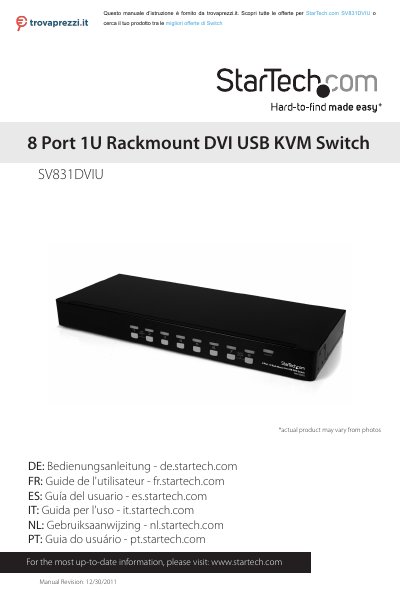

StarTech.com SV831DVIU 8 Port 1U Rackmount DVI USB KVM Switch Instruction Manual - cover page
Brand
StarTech.com
Category
Other Computer Accessories
Document type
User Manual
Language
English
Pages
13
File format
PDF
File size
623 KB
Published
05 November, 2023
Updated
05 November, 2023
MD5 checksum
1B0F17FDA4DA9A3CDA73A4B02CEE3394

About this manual

The StarTech.com SV831DVIU is an 8-port KVM switch designed to control up to eight USB-connected computers using a single keyboard, mouse, and monitor. It supports DVI or HDMI display outputs with resolutions up to 1920x1200 and features a rugged 1U rackmount design. The device allows for port selection via front panel push-buttons or hot-key commands.

What's inside

  • Introduction
  • Packaging Contents
  • System Requirements
  • Hardware Installation
  • Connecting Computer
  • Operation
  • Hot-key commands
  • Specifications
  • Warranty Information

Specifications

Number of Ports8
Maximum Video Resolution1920 x 1200
Operating Temperature0°C ~ 40°C
Weight3500g

Frequently asked questions

How do I select a computer using hot-key commands?

Press two left keystrokes successively, followed by the number key corresponding to the port (e.g., Left , Left , 7 selects PC port 7).

How do I activate Auto Scan mode?

Press down front panel push buttons '3' and '4' simultaneously to activate Auto Scan, which automatically scans powered-on computers.

What is the warranty period for this product?

The product is backed by a three-year warranty covering defects in materials and workmanship.

Download PDF (623 KB)

More StarTech.com Manuals


View all StarTech.com manuals →