
The RE300 is a wireless extender from TP-Link that can extend the reach of your wireless network to hard-to-reach areas of your home, giving you reliable wireless connectivity anywhere in your home.
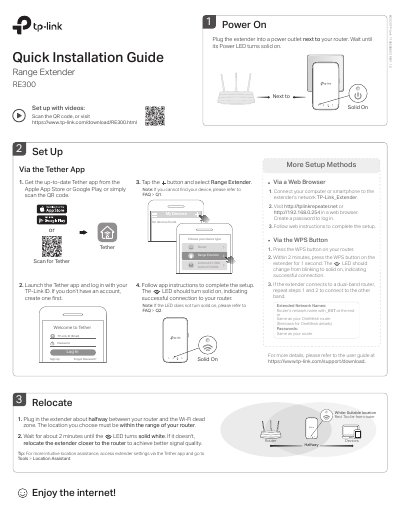
This quick installation guide covers setup of the TP-Link RE300 range extender. It describes powering on, choosing a location, and connecting via WPS, web browser, or the Tether app.
It also explains accessing extender settings, LED status meanings, OneMesh features, safety information, and troubleshooting for common setup issues.
Connect your smartphone to the extender’s network TP-Link_Extender, launch the Tether app, select your extender, and follow the app instructions.
You may have entered an incorrect Wi-Fi password for your host router; check the password and try again, and make sure the extender is close to the router.
With the extender powered on, use a pin to press the Reset button for 1 second; the extender will reboot.