
This is a user manual of Kodak EasyShare CX7310 digital camera, which introduces the appearance, functional features and usage methods of the camera.
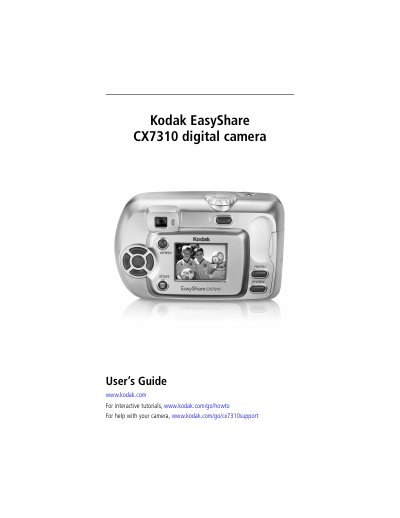
This guide provides step-by-step instructions for using the Kodak EasyShare CX7310 digital camera, including installing software, loading batteries, taking and reviewing photos and videos, transferring files, and troubleshooting. It also details camera specifications, battery types, and optional accessories like SD/MMC cards and docks. The manual is designed for end users and includes safety and maintenance tips.
| Image Sensor | 1/2.7 in. interline transfer CCD, 4:3 aspect ratio, 2.6 µm square pixel, RGB Bayer CFA, 3.3 MP including optical black pixels |
|---|---|
| Flash Modes | Auto, Fill, Red-eye, Off |
| Dimensions | Width 4.1 in. (103.5 mm), Depth 1.6 in. (40.2 mm), Height 2.6 in. (65 mm) |
| Weight | 5.2 oz (147 g) excluding batteries or card |
| File Format | Still JPEG/EXIF v2.2, Video QuickTime (CODEC: motion JPEG) |
| ISO Speed | Automatic: 100 - 200 (Still modes; 140 with flash); 100 - 800 (Video mode) |
| Lens Type | Combination glass/plastic with cover glass lens protection |
| Focal Length | 37 mm (35 mm equivalent) |
| LCD Display | 1.5 in. (37 mm), color, 280 x 220 pixels |
| Operating Temperature | 32 to 104 °F (0 to 40 °C) |
Install the software from the Kodak EasyShare software CD before connecting the camera to the computer. Failure to do so may cause the software to load incorrectly.
The camera has a 1.5-inch (37 mm) color LCD screen with a resolution of 280 x 220 pixels.
The camera operates between 32°F to 104°F (0°C to 40°C).