
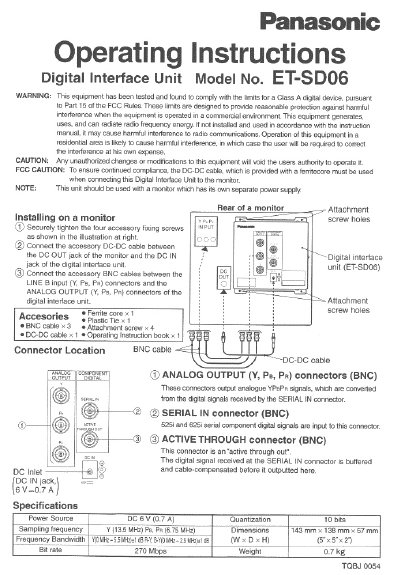
This document provides operating instructions for the Panasonic ET-SD06 Digital Interface Unit. It details the installation process on a monitor, including securing the unit with accessory screws and connecting the provided DC-DC and BNC cables. The manual includes specific warnings regarding electromagnetic interference and the requirement to use a ferrite core on the serial input cable.
| Power Source | DC 6 V (0.7 A) |
|---|---|
| Quantization | 10 bits |
| Dimensions | 143 mm x 138 mm x 57 mm |
| Bit rate | 270 Mbps |
| Weight | 0.7 kg |
This unit should be used with a monitor which has its own separate power supply.
The ferrite core must be used when connecting the unit to the monitor to ensure continued compliance and prevent interference.
These connectors output analogue YPsPr signals, which are converted from the digital signals received by the SERIAL IN connector.