
This manual describes the controls, installation, use, and technical parameters of the TL46-W contrast sensor
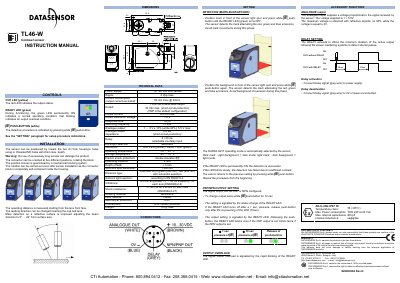
This document provides instructions for the Datasensor TL46-W and TL46-WL contrast sensors. It details the controls, including LEDs and push-buttons used for detection and configuration. The manual explains how to install the sensor using M5 holes or 3.5mm housing holes and notes that operating distance is measured from the lens front face.
| Power supply | 10...30 Vdc limit values |
|---|---|
| Current consumption (output excluded) | 50 mA max. @ 24Vcc |
| Output current | 100 mA max. |
| Response time | 33 us |
| Switching frequency | 15 kHz |
| Operating temperature | -10 ... 55°C |
| Storage temperature | -20 .... 70°C |
| Mechanical protection | IP67 |
| Weight | 170 g. max. |
The operating distance is measured starting from the lens front face.
During functioning, the green READY LED permanently ON indicates a normal operating condition.
The detection procedure is activated by pressing the white (SET) push-button.