
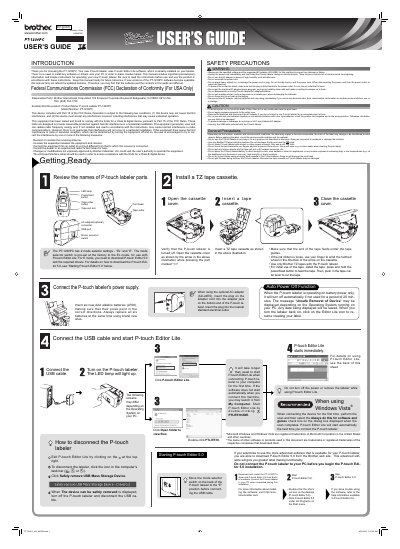
Brother PT-1230PC P-touch Labeler User's Guide


Brother PT-1230PC P-touch Labeler User's Guide - cover page
Brand
Brother
Category
Other Computer Accessories
Document type
User Manual
Language
English
Pages
2
File format
PDF
File size
3.4 MB
Published
02 July, 2012
Updated
29 September, 2023
MD5 checksum
ECC8E6F62414AAE3C3B27D13D5B7A069

About this manual

This manual provides important precautionary information and simple instructions for operating the Brother PT-1230PC P-touch labeler. It includes details on using the included P-touch Editor Lite software and connecting the device to a PC. Users are advised to read the instructions before use and keep the manual for future reference.

What's inside

  • Getting Ready
  • Safety Precautions
  • General Precautions
  • Auto Power Off Function
  • Starting P-touch Editor 5.0
  • Starting P-touch Editor Lite
  • Reviewing Names of Parts
  • Connecting the USB Cable

Specifications

Included SoftwareP-touch Editor Lite
Power Supply (Battery)Six AAA alkaline batteries (LR03)
Compatible TapesBrother TZ tapes
Auto Power Off Time20 minutes

Frequently asked questions

Do I need to install software or drivers on my PC to use the PT-1230PC?

No, the labeler uses P-touch Editor Lite software which is already installed on the device.

What happens if I do not use the labeler on battery power for 20 minutes?

The device will turn off automatically to conserve power.

Can I use old and new batteries together?

No, you should not use old and new batteries together or mix different battery types.

Download PDF (3.4 MB)

More Brother Manuals


View all Brother manuals →