
This document introduces the G2306A eight-vial turret for the Agilent 7673A Automatic Liquid Sampler, including hardware and software requirements.
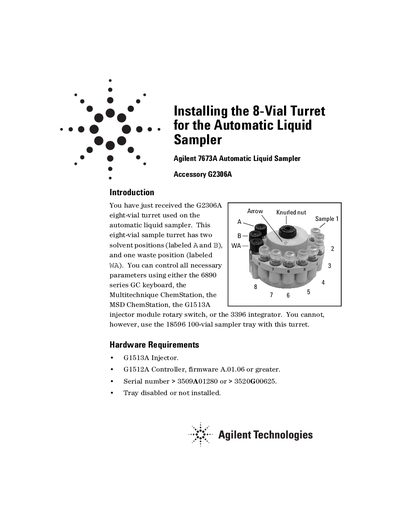
This document describes the installation of the Agilent 8-Vial Turret (Accessory G2306A) used with the Agilent 7673A Automatic Liquid Sampler. It outlines hardware requirements, such as compatibility with specific injector modules and controller firmware versions, and notes that this turret is incompatible with the 100-vial sampler tray.
The guide provides step-by-step instructions for removing the standard turret and installing the new eight-vial unit. Following installation, it details a mandatory alignment procedure involving diagnostic mode entry via the START and STOP buttons to calibrate the syringe carriage height relative to the new turret.
The system requires a G1513A Injector, a G1512A Controller with firmware A.01.06 or greater, and a serial number greater than 3509A01280 or 3520G00625.
You need ChemStation Rev 4.01 or later, or MSD ChemStation Rev A.02.00 or later.
The syringe carriage moves down 240 motor steps to determine the distance between the carriage and the base assembly.