
Casio ID-15 Operation Guide

This is an instruction manual for a watch, which contains instructions on how to set the time, alarm and other functions.
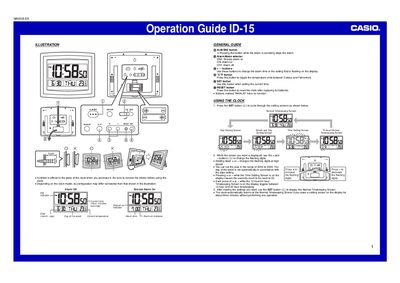

Casio ID-15 Operation Guide - cover page
Brand
Casio
Category
Clocks and Timers
Document type
User Manual
Language
English
Pages
2
File format
PDF
File size
529 KB
Published
06 June, 2012
Updated
30 September, 2023
MD5 checksum
D83070A4B7AFC5FB5C605A7F2DE63152

About this manual

The Casio ID-15 is a digital clock featuring an internal temperature sensor that displays current room temperature. The device allows users to toggle between Celsius and Fahrenheit units using a dedicated button.

Users can set the alarm time and choose from three modes: Alarm On, Snooze (SNZ), or Alarm Off via a selector switch on the back. To stop the alarm when it sounds, press the ALM/SNZ button.

What's inside

  • General Guide
  • Using the Clock
  • Using the Alarm
  • Thermometer Functions
  • Battery Replacement

Frequently asked questions

How do I stop the alarm when it is sounding?

Press the ALM/SNZ button to stop the alarm.

What happens if I leave a setting screen on for about three minutes without performing any operation?

The clock automatically returns to the Normal Timekeeping Screen.

What does the temperature display show for temperatures below -50°C (-58°F)?

It shows "LO" on the display.

Download PDF (529 KB)

More Casio Manuals


View all Casio manuals →