
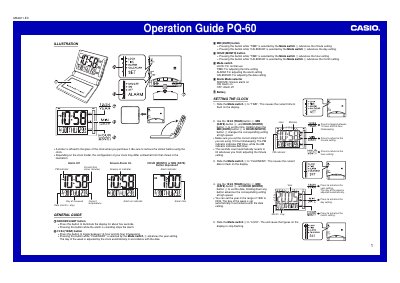
Casio PQ-60 Operation Guide


Casio PQ-60 Operation Guide - cover page
Brand
Casio
Category
Clocks and Timers
Document type
User Manual
Language
English
Pages
2
File format
PDF
File size
567 KB
Published
06 June, 2012
Updated
29 September, 2023
MD5 checksum
C0CCBDE73755BCD810724B1A028B70AD

About this manual

The Casio PQ-60 is a digital clock featuring a built-in thermometer, alarm functions with snooze capabilities, and an electro-luminescent (EL) backlight. The device allows users to toggle between 12-hour and 24-hour timekeeping formats and automatically adjusts the day of the week based on the date setting.

What's inside

  • Setting the Clock
  • Using the Alarm
  • Stopping the Alarm
  • Testing the Alarm
  • Using the Light
  • Thermometer Functions
  • Battery Replacement

Frequently asked questions

What is the temperature range for guaranteed readings?

The clock guarantees accurate readings between -19.6°C and 70°C, though it displays 'Lo' or 'HI' outside this specific range.

How do I set the alarm time?

Slide the Mode switch to 'ALARM', use the buttons to adjust the flashing digits, then slide the switch back to 'LOCK' to stop flashing.

How do I turn off the snooze feature?

You can turn off the snooze feature by sliding the Alarm Mode selector to 'OFF'.

Download PDF (567 KB)

More Casio Manuals


View all Casio manuals →