
Casio PQ-40 Clock User's Guide

This is a user manual that introduces the use of PQ-40 clock
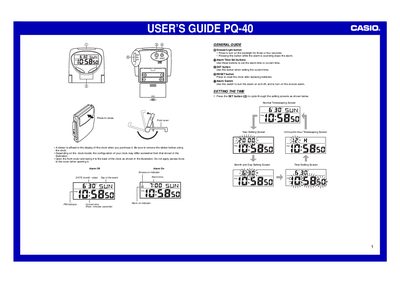

Casio PQ-40 Clock User's Guide - cover page
Brand
Casio
Category
Clocks and Timers
Document type
User Manual
Language
English
Pages
2
File format
PDF
File size
144 KB
Published
06 June, 2012
Updated
30 September, 2023
MD5 checksum
92ABC03A8591FD1CA7816B8DF55AA907

About this manual

The Casio PQ-40 is a digital clock that allows users to set the current time, year (2000-2039), month, day of the week, and alarm times. The device features a backlight for viewing in low light conditions and includes an alarm system with snooze functionality.

What's inside

  • Front cover
  • Setting the Time
  • Using the Alarm
  • Turning the Alarm On and Off
  • Stopping the Alarm
  • Using the Light
  • Battery Replacement

Frequently asked questions

What is the range of years that can be set on this clock?

You can set the year in the range of 2000 to 2039.

How do you stop the alarm when it is sounding?

When the alarm is sounding, press the Snooze/Light button to stop it.

How often should the batteries be replaced?

You should replace the batteries at least once a year, even if they are still working properly.

Download PDF (144 KB)

More Casio Manuals


View all Casio manuals →