
This operation guide mainly introduces the use of the MA0612-EA clock, including how to install batteries, how to set the time, how to calibrate the second hand, and how to replace batteries
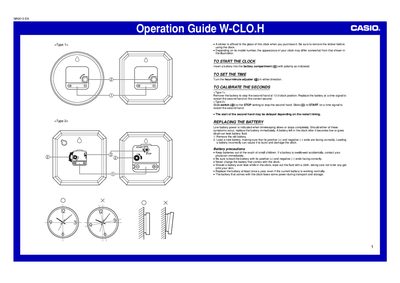
This document serves as an operation guide for the Casio IQ-123 clock. It provides initial setup instructions, including how to insert a battery with correct polarity and remove protective stickers from the glass.
The guide details procedures for setting the time using the hour/minute adjuster and calibrating the seconds hand for two different types of clocks: one requiring battery removal/replacement at a time signal, and another utilizing a slide switch. It also includes safety precautions and instructions for replacing low batteries.
Remove the battery to stop the second hand at 12 o'clock position, then replace the battery at a time signal to restart it.
Slide the switch to STOP to stop the second hand, then slide it to START on a time signal.