
This document describes the features, functions, settings, and adjustable menus of the TV remote control for LT and MT series devices. Clicking on any key on the left side of the remote control displays the descriptions of the menus and functions. Clicking on menus and sub-menus reveals more detailed descriptions. The display settings of your projector can be customized and finely adjusted to meet your requirements. However, in normal circumstances, the display is automatically optimized based on the input signals. When any key on the universal remote control is pressed, the backlight of all keys except the mouse keys lights up. If no keys are pressed for 10 seconds, the backlight automatically turns off. The menus also deactivate. The document also introduces two other types of remote controls: a universal remote control for the MT series and a card remote control for the LT series.
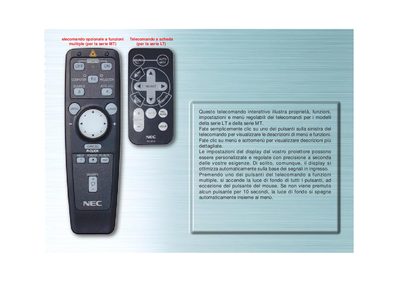
This manual explains the operation of the optional multi‑function remote for the MT series and the card‑based remote for the LT series. It details how to access menus, adjust display settings, and use the various control buttons.
Instructions cover source selection, auto‑alignment, menu navigation, LED indicators, and switching between projector and computer mouse modes, with notes on automatic backlight shutdown after inactivity. This manual is written in Italian.
Press the COMPUTER/SELEZIONA PJ button to change the mouse buttons from projector mode to computer mode.
The backlight of all buttons turns off automatically after 10 seconds of inactivity.