
This manual introduces how to connect power, computer and projector, and introduces how to operate the projector's lens cover.
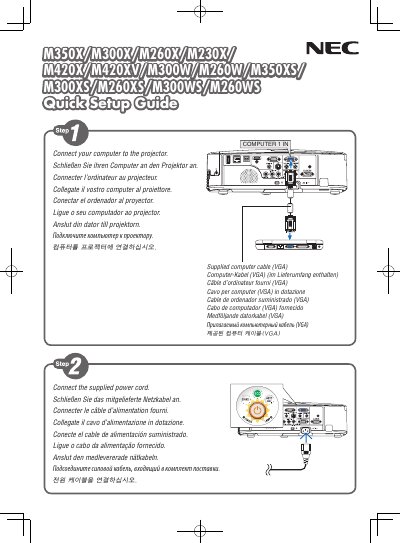
This Quick Setup Guide provides step‑by‑step instructions to install and power on NEC display models M350X, M300X, M260X, M230X, M420X, M420XV, M300W, M260W, M350XS, M300XS, M260XS, M300WS and M260WS. It covers basic connections, power‑on procedures, and initial configuration.
The guide is printed in China by NEC Display Solutions, Ltd. and is intended for users who need a fast start to get the display operational without detailed service procedures. This manual is written in Japanese.
The guide was printed in China.
NEC Display Solutions, Ltd. produced the guide.