
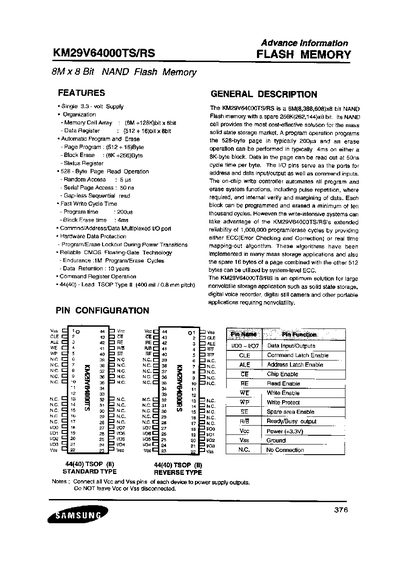
The KM29V64000TS/RS is an 8 M × 8‑bit NAND flash memory with a 256 K‑bit spare area, designed for solid‑state storage applications such as digital voice recorders and cameras. It features an on‑chip write controller that automates program and erase cycles, supports 1 M program/erase cycles, and includes hardware data protection.
The datasheet provides detailed pin descriptions, electrical ratings, timing characteristics, and package dimensions for the 44‑pin TSOP‑II package, along with recommended operating conditions and protection features such as a write‑protect (WP) pin.
| Memory organization | 8 M × 8 bit NAND flash with 256 K × 8 bit spare area |
|---|---|
| Page size | 528 Byte (512 Byte data + 16 Byte spare) |
| Block size | 8 K + 256 Byte |
| Program time (typical) | 200 µs per page |
| Block erase time (typical) | 4 ms |
| Endurance | 1 M program/erase cycles |
| Data retention | 10 years |
| Supply voltage (Vcc) | 3.0 V to 3.6 V |
| Operating temperature | -10 °C to +125 °C |
| Write protect pin (WP) | Provides protection during power transitions |
The page program operation typically takes 200 µs.
A block erase typically completes in 4 ms.
The WP (Write Protect) pin prevents accidental write or erase operations during power transitions.
The recommended supply voltage range is 3.0 V to 3.6 V.