
The TP-LINK Ethernet Powerline Adapter TL-PA201 provides a wire-free solution for SOHO life. It is a 200Mbps Powerline Ethernet Adapter that turns your house's existing electrical wiring into a ubiquitous networking infrastructure. It extends your Cable/xDSL broadband connection or existing LAN to any other electrical outlet in any room of your house without the need for new cabling. With two adapters plugged into your existing power outlet, you can easily press the 'pair' button to establish a connection without any other configuration. The TL-PA201 also features built-in QoS to enable lag-free entertainment such as online/LAN gaming and audio/video streaming with real-time requirements. The TL-PA201 200Mbps Ethernet Powerline Adapter offers a high-speed data transfer rate of up to 200Mbps with a wire-free feature. It supports plug-and-play configuration and has a push button 'Pair' to easily connect two adapters. It is compliant with the HomePlug AV standard and works with AC input of 100V~240V. It has low power consumption and intelligent channel adaptation to maximize throughput under harsh channel conditions. It also supports IGMP managed multicast IP transmission and has built-in QoS to prioritize data.
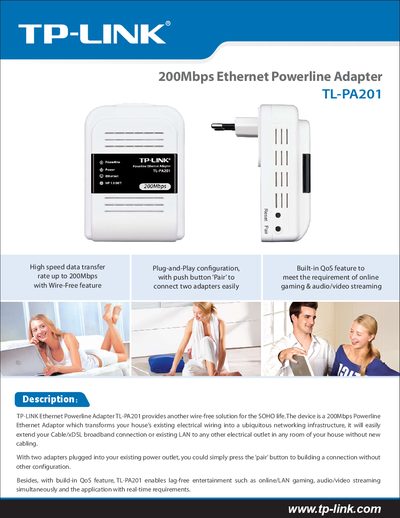
The TL-PA201 is a 200 Mbps HomePlug AV powerline Ethernet adapter that turns any AC outlet into a network entry point. It provides plug‑and‑play installation, a push‑button Pair function, and built‑in QoS for lag‑free gaming and video streaming.
The guide covers hardware specifications, security (128‑bit AES), supported operating systems, power consumption, and regulatory certifications. It also includes a quick start checklist, LED indicators, and troubleshooting tips.
| Maximum data transfer rate | 200 Mbps |
|---|---|
| Ethernet LAN ports | 1 |
| Standard | HomePlug AV 200Mbps |
| Interface | IEEE 802.3 10/100M Ethernet |
| Security | 128‑bit AES encryption |
| Supported OS | Windows 98 SE, 2000, XP, Vista |
| Certifications | CE, RoHS compliant |
| Weight | 165 g |
| Operating temperature | +0 °C ~ +60 °C |
| Operating humidity | 10 % ~ 90 % RH |
| Dimensions (L×W×H) | 104 mm × 71 mm × 38 mm |
| Transmission range | up to 200 m |
| Plug type | EU, UK, AU (replaceable) |
Plug both adapters into power outlets and press the ‘pair’ button on each unit to establish a connection without any additional configuration.
The adapter secures powerline communications with 128‑bit AES encryption.
It supports a maximum data transfer rate of up to 200 Mbps.