
This document is about the user manual of Casio watch 3319 and 3781, introduces the basic operations and functions of the watch
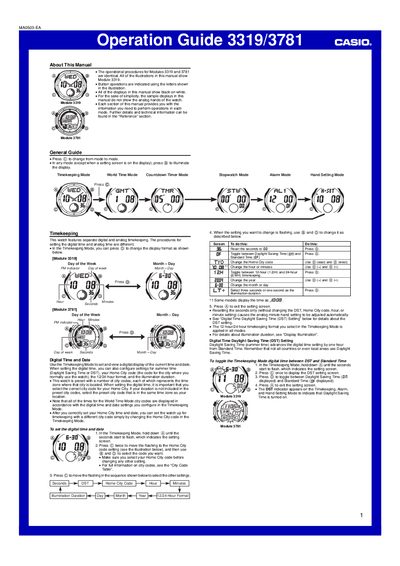
This guide covers all functions of the Casio 3319/3781 watch, including Timekeeping, World Time, Countdown Timer, Stopwatch, Alarm, and Display Illumination. Detailed step‑by‑step procedures show how to set digital and analog time, configure city codes, enable daylight‑saving time, and adjust illumination duration.
Safety and usage notes are provided for the auto‑light switch, battery conservation, and proper handling while riding a bicycle or motorcycle. Reference tables list city codes and graphic area indicators for each mode.
| Countdown timer range | 1 to 80 minutes |
|---|---|
| Year setting range | 2000‑2029 |
| Time format options | 12‑hour or 24‑hour |
In any mode, hold down the @ button for about two seconds; the auto‑light switch will toggle on (indicator displayed) or off (indicator not displayed).
Press © while in Countdown Timer Mode to start the timer; press © again to pause, and press © once more to resume.
Enter World Time Mode, select the city code, then hold down @ for about two seconds to toggle between DST and Standard Time.