
This document is a manual for the 2900/2901 model, which describes the operation methods and features of the watch's timer mode, alarm mode, and stopwatch mode.
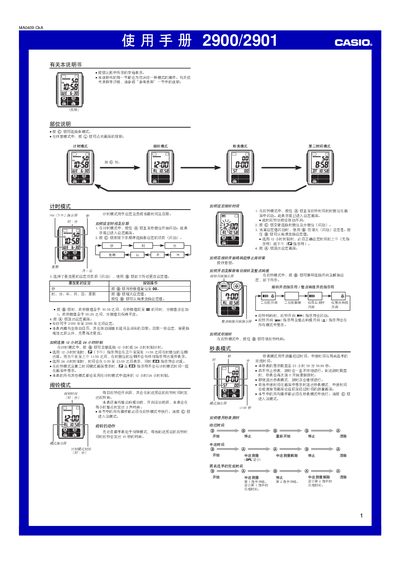
This manual provides step‑by‑step instructions for operating the Casio 2900/2901 digital watch. It covers time‑setting, 12/24‑hour selection, alarm configuration, stopwatch use, second‑time zone setup, and the EL backlight.
Additional sections describe automatic calendar behavior, illumination duration options, battery‑saving tips, and reference technical details for the watch’s functions. This manual is written in Chinese.
| Year setting range | 2000‑2099 |
|---|---|
| Automatic calendar | Adjusts month length and leap years automatically |
| Illumination duration | 1.5 seconds or 3 seconds |
| Stopwatch display limit | 23 h 59 min 59.99 s |
In Timekeeping mode, press the B button to toggle between 12‑hour and 24‑hour formats.