
Casio watch 2965 instruction manual, introduces the functions and usage of the watch, including stopwatch mode, world time mode, stopwatch mode, countdown timer mode, alarm mode, etc.
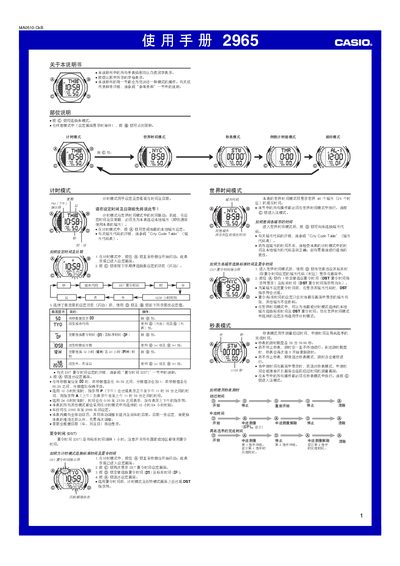
This manual covers all operating modes of the Casio 2965 watch, including Time Setting, World Time, Stopwatch, Countdown Timer, Alarm, Illumination and Daylight Saving Time (DST). Each mode is described with button sequences, display indicators and special notes such as automatic calendar adjustments and 12‑hour/24‑hour format selection.
The guide also explains button‑press sounds, mute functions, automatic return to the time mode after inactivity, and provides a City Code Table for world‑time configuration. Practical tips for using the alarm, interval chimes and hourly chimes are included. This manual is written in Chinese.
| Year setting range | 2000‑2099 |
|---|---|
| Stopwatch measurement limit | 59 min 59.99 s |
| Countdown timer range | 1 min to 24 h |
| Automatic calendar | Adjusts month length and leap year |
Press the @ button twice to open the DST setting screen, then press @ to toggle between standard time and DST; the DST indicator will appear on the display.
The stopwatch can measure up to 59 minutes, 59.99 seconds before it resets to zero.
Enter countdown timer mode with the @ button, then adjust the minutes and seconds using the @ and @@ buttons; the timer can be set from 1 minute up to 24 hours.