
User's manual 2962/2992, introduces how to use the watch's time mode, alarm mode, stopwatch mode and time setting mode, including how to set 12-hour and 24-hour timekeeping, how to turn on and off alarms and hourly alerts, how to test alarms, and how to use stopwatches
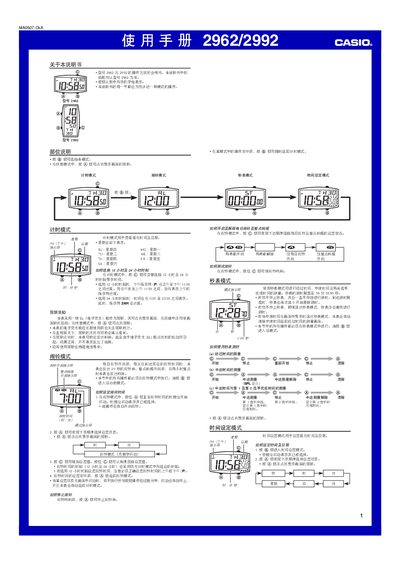
This manual provides step‑by‑step instructions for using the Casio 2962/2992 digital watch. It covers the basic time‑keeping mode, how to set the current time and date, and how to switch between 12‑hour and 24‑hour display formats.
Additional sections describe the watch’s illumination feature, alarm settings (including hourly chimes), and the stopwatch mode with its measurement limits. Button functions and troubleshooting notes are also included. This manual is written in Chinese.
| Time display format | 12‑hour or 24‑hour |
|---|---|
| Stopwatch range | 0 – 5 min 59.99 sec |
Enter alarm mode, press @ to select the alarm time, and the watch will emit a 20‑second tone at the set time; it also chimes hourly.
The stopwatch can measure up to 5 minutes 59.99 seconds before it resets to zero.
Yes, frequent use of the illumination shortens battery life.