
This manual introduces the operation methods of 2879, 2889, and 3091 watches. The watch has multiple functions such as timer mode, stopwatch mode, second time mode, alarm mode, etc. You can switch through buttons.
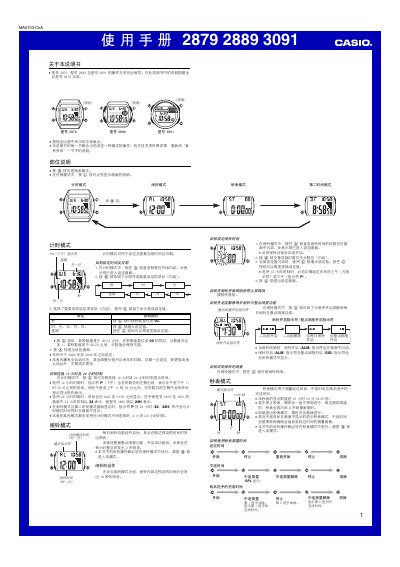
This manual covers the operation of the Casio 2879 (also compatible with 2889 and 3091) watch. It describes the three main modes – time‑keeping, stopwatch and second‑time – and explains how to set the date, year (2000‑2099), and choose between 12‑hour (AM/PM) and 24‑hour display formats.
Instructions for each mode are given, including how to enter setting mode by holding the @ button, adjust values with the @ key, and exit with @@. The guide also details the alarm function, illumination behavior (default 3 s, auto‑reverting after about 1.5 h), and automatic calendar adjustments for month length and leap years. This manual is written in Chinese.
| Stopwatch display limit | 23 h 59 min 59.99 s |
|---|---|
| Year setting range | 2000‑2099 |
| Time display formats | 12‑hour with AM/PM indicator or 24‑hour (24/24H) format |
| Illumination duration | 3 seconds (auto‑reverts to 1.5 seconds after ~1.5 h) |
In time‑keeping mode, press and hold the @ button until the seconds digits flash, then use the @ button to increase each field (hour, minute, year, etc.) and press @@ to exit.
While in time‑keeping mode, press the @ button to toggle between 12‑hour (with AM/PM indicator) and 24‑hour (or 24H) display.
The backlight illuminates for 3 seconds; after about 1.5 hours of inactivity it automatically reverts to a 1.5‑second illumination.