
American Megatrends BIOS Setup Utility User Manual

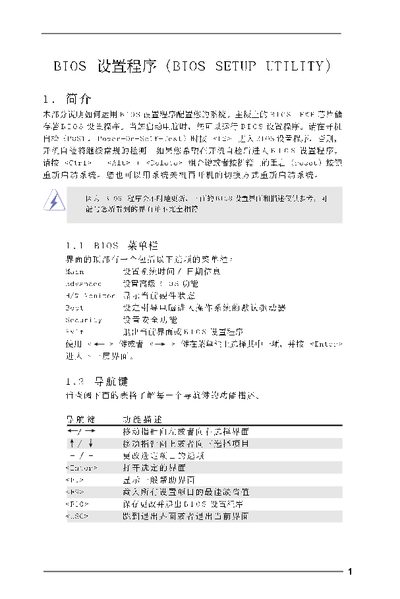
This is a BIOS setting page of a computer, which can be used to configure various parameters of the computer

American Megatrends BIOS Setup Utility User Manual - cover page
Brand
BIOS
Category
Other device
Document type
User Manual
Language
Chinese
Pages
16
File format
PDF
File size
1 MB
Published
09 April, 2012
Updated
30 September, 2023
MD5 checksum
CE8C1DFB7F198477F1AB4F7CD54C7DE7

About this manual

This manual describes the BIOS Setup Utility interface, navigation keys, and the various configuration screens such as Main, Advanced, CPU, Chipset, ACPI, IDE, Security and Exit. It provides step‑by‑step instructions for changing settings, loading defaults, and saving or discarding changes.

The document also lists specific options for CPU frequency, memory timing, boot failure guard, power‑loss recovery, and other hardware features, helping users customize system behavior during POST and runtime. This manual is written in Chinese.

What's inside

  • Introduction
  • Main Screen
  • Advanced Screen
  • CPU Configuration
  • Chipset Configuration
  • Boot Failure Guard
  • ACPI Configuration
  • IDE Configuration
  • Security Screen
  • Exit Screen

Specifications

BIOS versionv02.54
Processor speed2.40 GHz
Total memory512KB
DIMM 1 size256MB @ 166MHz (DDR333)

Frequently asked questions

How do I enter the BIOS Setup Utility?

Press during the Power‑On Self‑Test (POST), or use Ctrl+Alt+Delete, or press the reset button on the case.

How can I save changes and exit the BIOS?

Press to Save and Exit the BIOS Setup Utility.

How do I load the default BIOS settings?

Press to Load Defaults.

Download PDF (1 MB)

More BIOS Manuals


View all BIOS manuals →