
This document is the user manual for a certain brand of MP3. It mainly introduces the functions, operating methods and usage precautions of the MP3.
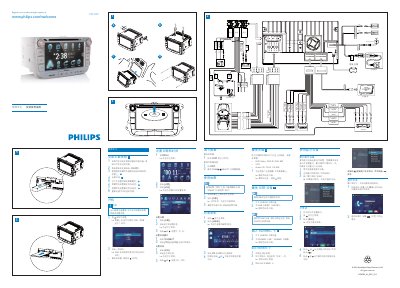
This guide introduces the CID3289 car radio, covering registration, basic menu navigation, and how to connect external audio and video inputs such as AUXINL2, AUXINR2, FRONTL and FRONTR. It also explains how to install the unit in the vehicle and adjust screen brightness and language settings.
The manual details Bluetooth pairing (up to eight devices), media playback from CD/DVD/USB/SD cards, radio tuning (FM/AM), and date/time configuration. Safety warnings remind users not to operate the device while driving. This manual is written in Chinese.
| Audio Input (Left) | AUXINL2 |
|---|---|
| Audio Input (Right) | AUXINR2 |
| Front Left Audio | FRONTL |
| Front Right Audio | FRONTR |
| Bluetooth Pairing Capacity | Up to 8 devices |
Press the DISP button, select the Bluetooth menu, and choose the device to pair; the unit can store up to eight paired devices.
Tap the FM or AM button on the main menu to select the desired band and then tune to the desired frequency.