
The ViviCam 8027 is an 8.1-megapixel digital camera with an auto focus zoom lens. It includes various features for capturing high-quality digital photos and videos.
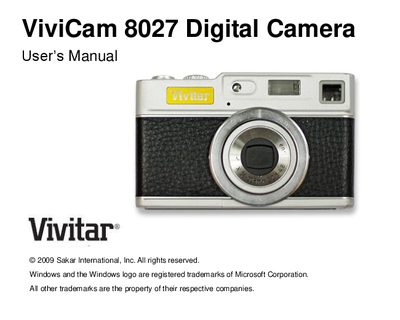
This manual guides users through installing batteries and SD cards, operating the camera in photo and video modes, transferring media to a computer, and maintaining the device. It includes technical specifications and troubleshooting tips for common issues.
The camera features an 8.1 megapixel sensor, 3x optical zoom, 8x digital zoom, 2.4-inch LCD, and support for SD cards up to 8GB. It also includes Vivitar Experience Image Manager software for managing photos and videos online.
| Image Sensor | CMOS Sensor |
|---|---|
| Image Resolution | 3264x2448(8MP), 3648x2048(7MP) HD, 2592x1944(5MP), 2048x1536(3MP), 1920x1080(2MP) HD, 640x480(VGA) |
| Video Resolution | 640X480,320X240pixels |
| File Format | JPEG/AVI |
| External Memory | SD Card (up to 8GB) |
| LCD Display | 2.4 Inch TFT |
| Lens | Auto Focus Zoom 3X 36-108mm 1:2.8-4.8 Zoom 8X Digital Zoom; 3X Optical Zoom |
| Exposure | -3.0EV ~ +3.0EV |
| White Balance | Auto, Daylight, Cloudy, Incandescent , Fluorescent |
| ISO | Auto/100/200/400 |
| Scene | Auto/Night Portrait/Night Scenery/Portrait/Scenery/Sport/Party/Beach/High Sensitivity |
| Flash | Auto /Force/Red Eye Reduction/Off |
| Self-timer | 2, 5 or 10 sec delay |
| Anti-Shake | Yes |
| PictBridge | Yes |
| Interface | USB 2.0 |
| Face Detect | Yes |
| Battery | Lithium rechargeable battery |
| Working Temperature | 0~40 ℃ |
First ensure that you have in fact taken photos. Press the Shutter button to take one test photo and then try downloading it. With test photos if the camera powers off before you upload it to the computer the photo is not stored in the camera`s memory. These photos should be uploaded quickly before the camera powers off. If the photos are saved to the SD memory card then all the photos should appear.
Your camera uses SDRAM memory, which requires a constant electric current to store your test photo. Should your camera lose power (for instance if the battery dies or run out of power) the photo will be lost. This camera requires an SD card for normal use. If the camera powers off nothing will happen to the images stored on the SD memory card. We recommend always downloading your photos to your computer as soon as possible to prevent unintentional data loss.
All images deleted using the Vivitar Experience Image Manager are sent to your computer`s Recycle or Trash Bin and can be retrieved from there.