
Philips mobile phone manual, introduces the phone's power on, power off, dialing, answering phone, rejecting calls, viewing phone book, dialing IP phone, taking pictures and other functions
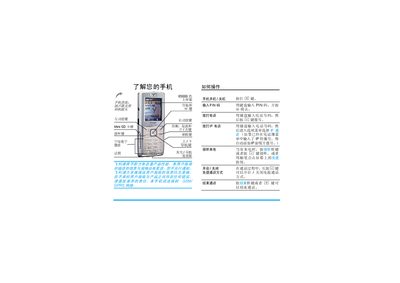
The guide introduces the phone’s hardware and functions, including power on/off, keypad operation, touch‑screen navigation, mini‑SD card usage, camera activation, and various soft‑key functions. It also covers how to make and receive calls, adjust volume, use hands‑free mode, and access the main menu and phonebook.
Additional sections describe the Philips Club services, warranty terms, and customer support details, providing users with information on downloading content, registering for benefits, and contacting service centers for repairs. This manual is written in Chinese.
| Screen color depth | 65000 colors |
|---|---|
| Mini‑SD card support | Supported |
Press and hold the I key to turn the phone on or off.
Press the answer soft key, press the designated key, or tap the on‑screen button.
Insert the mini‑SD card into the slot; do not remove it while accessing files.
The handset is covered for one year, the charger for one year, the battery for six months, and the earphone for three months.