
The document is a user guide for Philips mobile phones, describing the features and operation instructions of the phone.
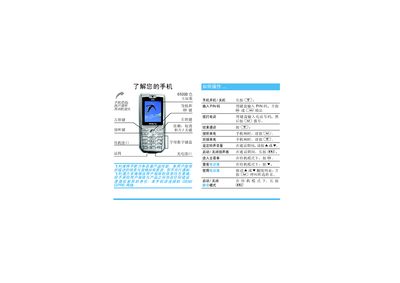
The guide introduces the phone’s basic functions, navigation, and key operations such as answering and ending calls, adjusting volume, and using the speaker. It also explains the menu matrix, soft‑key customization, and how to access common features quickly.
It provides step‑by‑step instructions for first‑time use, including inserting the SIM card, installing the battery, charging the device, and warranty information. Contact details for Philips service centers and support hotlines are included at the end. This manual is written in Chinese.
| Battery charge indicator | 3 bars |
|---|---|
| Charger warranty period | 1 year |
| Battery warranty period | 6 months |
Remove the back cover, take out the battery, then insert the SIM card into the metal slot until it clicks into place.
Connect the charger plug to the phone’s charging port and then to an AC outlet; the battery icon shows three bars when fully charged.
When the phone rings, press the CS key to answer.
Press the volume up or down keys while the call is active.