
This is a user manual for a Philips mobile phone, which mainly introduces the basic functions and operating methods of the phone.
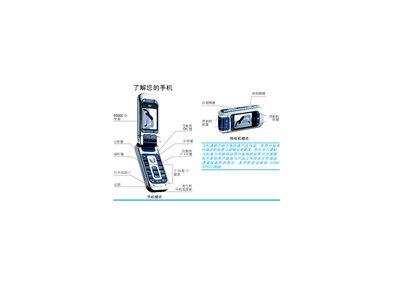
This guide explains how to set up a Philips mobile phone, including inserting the SIM card, charging the battery, and configuring date, time, and language. It also describes the phone’s main features such as the rotating screen, camera mode, soft‑key functions, and navigation through menus.
Additional sections cover advanced functions like infrared data transfer, MMS, value‑added services, troubleshooting, and the company’s warranty and service policies. The manual provides step‑by‑step instructions for making calls, using the camera, and customizing settings. This manual is written in Chinese.
| Charging indicator bars | 4 |
|---|---|
| Full charge time | ≈2 hours |
| Talk time (full charge) | 2–4 hours 40 minutes |
| Stand‑by time (full charge) | 200–560 hours |
Open the back cover, align the cut‑corner of the SIM card with the slot, insert it and push the latch until it locks.
When the phone is turned on for the first time, you will be prompted to set the date and time using the alphanumeric keypad.