
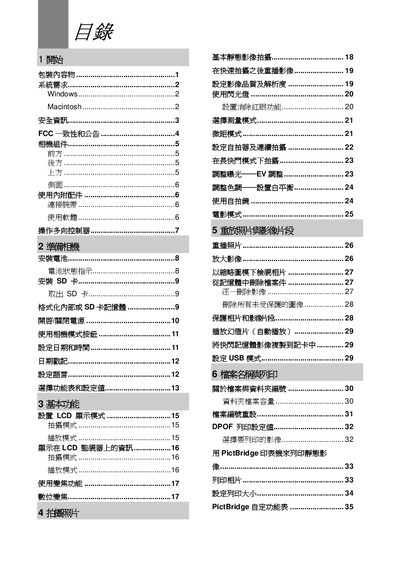
This manual covers the camera’s components, basic functions, shooting modes, and image playback. It also explains how to connect the camera to a computer via USB, install the supplied software, and manage memory cards.
Safety precautions, battery handling, and troubleshooting steps are included to help users avoid damage and resolve common issues. This manual is written in Japanese.
| LCD screen size | 1.5" TFT |
|---|---|
| Maximum image resolution | 2592 x 1944 |
| ISO sensitivity | 100 |
| Battery supply | 9 V 260 mA |
| Dimensions (W × H × D) | 105 mm × 55 mm × 87 mm |
| Weight (without battery) | 150 g |
Remove the battery and reinstall it with the correct polarity.
Check that the battery is charged; replace or recharge the battery if it is depleted.
Insert a new, compatible SD card and ensure it is formatted correctly.