
This article introduces the functions and features of a certain brand and model camera, including installing batteries, SD cards, using various accessories, setting the date and time, changing the language, selecting menus and settings, etc.
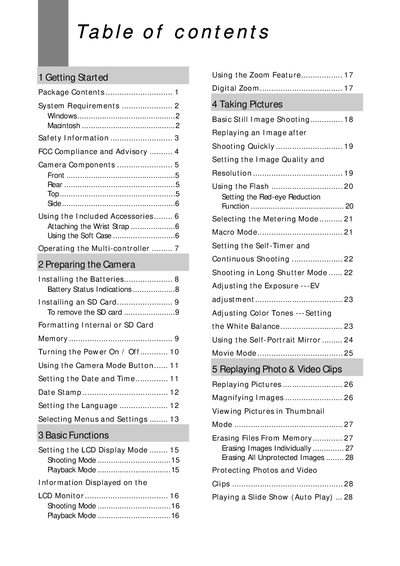
This manual covers everything you need to get started with the Jenoptik digital camera, including package contents, system requirements for Windows and Macintosh, safety precautions, and FCC compliance. Detailed sections explain how to attach accessories, install batteries and SD cards, and configure basic camera settings such as LCD mode, shooting modes, and language.
Further chapters describe basic functions like zoom, flash, exposure control, and image quality, as well as how to replay and print photos, connect the camera to a computer via USB, install accompanying software, and troubleshoot common issues. Contact information for technical support is provided at the end of the document.
| Megapixels | 4 |
|---|---|
| Image Sensor Size | 1/2.5 inch |
| Optical Zoom | 3x |
| LCD Size | 1.5" TFT LCD Panel |
| Maximum Still Image Resolution | 2592 x 1944 |
| Video Resolution | 320 x 240 at 20 fps |
| Shutter Speed Range | 1/2000 – 8 sec |
| Battery Type | 2 AA alkaline or NiMH rechargeable (1800 mAh) |
| Internal Memory | 16 MB flash |
| External Memory Support | SD card up to 512 MB |
| Dimensions | 105 × 55 × 37 mm |
| Weight | 150 g (without batteries) |
| Power Supply | DC 3.3 V 2.0 A adapter |
Follow the illustration in the manual; attach the wrist strap to the camera and avoid swinging the camera while it is attached.
Use the provided USB cable and follow the section "Connecting the Camera to a Computer with a USB Cable" to establish the connection.
The camera is powered by two AA alkaline batteries or two NiMH rechargeable batteries (1800 mAh).