
This document is the user manual for a digital camera, which introduces the camera's components, usage methods, shooting settings, etc.
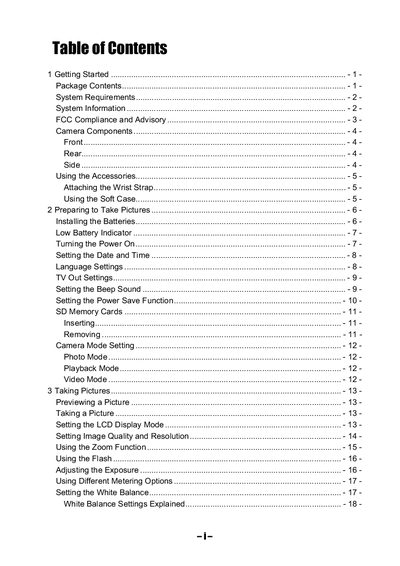
The manual begins with getting started instructions, including package contents, system requirements, and safety warnings. It explains how to attach accessories, insert batteries, and configure basic settings such as date, time, language, and power‑save mode.
Subsequent sections cover picture taking modes, exposure and white‑balance settings, zoom functions, flash operation, video recording, file management, and connections to TV, USB, and a computer. The guide ends with a troubleshooting table and a full specifications list.
| Sensor | 3.3 megapixel CCD (effective 3.14 MP) |
|---|---|
| Lens focal length | 5.7‑16.3 mm, 3× optical zoom, F2.6‑4.9 |
| Viewfinder | Optical, real‑image |
| Focus range | 50 cm – infinity (10‑50 cm in macro) |
| ISO/ASA range | 70 |
| Still image resolution | 2048×1536, 1600×1200, 1024×768, 640×480 |
| Video resolution | 320×240 |
| Exposure compensation | -2 EV to +2 EV in 1/3‑step increments |
| Shutter speed | 1/2000 s – 8 s (mechanical) |
| Zoom | 3× optical, 4× digital |
| Image file format | EXIF 2.2 compatible JPEG |
| White balance | Auto and manual (5 selectable modes) |
| Picture storage | 16 MB internal flash (effective 14.2 MB) + SD card slot |
| Interface | USB 1.1, TV Out NTSC/PAL selectable |
| Power supply | 2 × AA alkaline or Ni‑MH 1800 mAh, DC‑in 3 V 1.5‑2 A |
| Dimensions | 92 × 61.2 × 31.5 mm |
Slide the battery cover in the direction of the arrow, open it, insert two AA‑size alkaline batteries with the correct polarity, and slide the cover back into the closed position.
Make sure the flash mode is set to any setting other than OFF; the flash will fire when the mode is not OFF.
Use the included video cable, set the TV Out setting to the correct system (NTSC or PAL), and ensure the cable is securely connected.