
This document provides information on the use of the projector, including precautions, safety information, and preventive measures. It also describes the features and characteristics of the product. The document includes instructions on installation, adjustment of the projection image, troubleshooting, and use of the remote control.
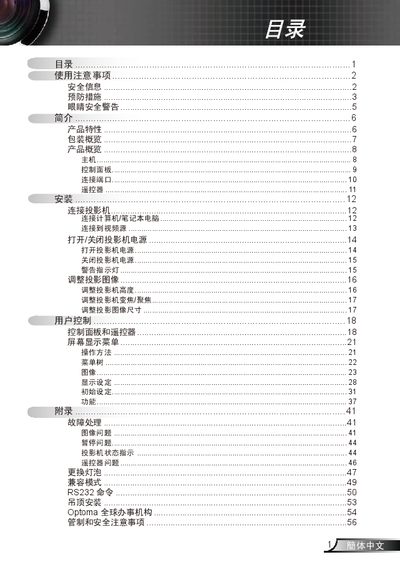
This manual begins with important safety information, including warnings about high voltage, rain exposure, and the need for professional service. It also covers proper ventilation, cleaning, and handling of the lamp.
The later sections describe the control panel, connection ports, image adjustment (zoom, focus, height), menu navigation, RS232 commands, and troubleshooting procedures such as lamp replacement and error handling. This manual is written in Chinese.
| Display technology | Texas Instruments Single chip DLP |
|---|---|
| Built‑in speaker power | 1 W |
| HDCP compatibility | DVLI |
| Computer compatibility | Macintosh and PC |
| Supported resolutions | UXGA, SXGA+, SXGA, WXGA, XGA, SVGA, VGA |
Wait for the projector to cool, then follow the lamp‑replacement steps on pages 47‑48 and use the “Lamp Settings” menu to confirm the change.
Do not expose the projector to rain or moisture, keep ventilation openings clear, avoid opening the case, and have only qualified service personnel perform repairs.