
Key facts
- Manuals
- 25
- Categories
- 2
- Languages
- EN · ZH
- Last added
- 2026-09-29
Featured Optoma manuals
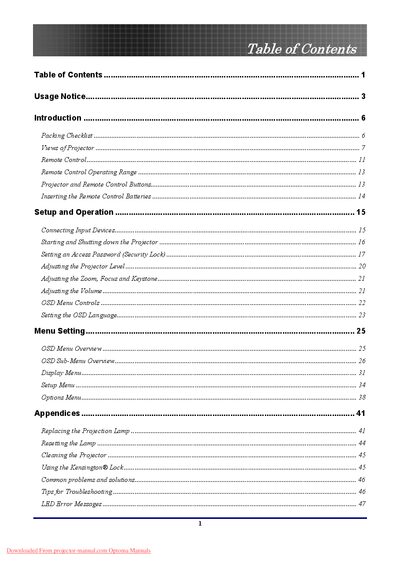
Optoma DLP Projector User Manual
This manual guides users through unpacking, connecting, and operating the Optoma DLP projector. It covers safety notices, remote‑control functions, menu navigation, and basic adjustments such as zoom, focus, keystone, and volume.
Additional sections detail lamp replacement, cleaning, security lock usage, troubleshooting tips, and a full specifications list including projection distances, supported resolutions, dimensions, and regulatory compliance information.
Covers: Usage Notice · Setup and Operation · OSD Menu Controls · Lamp Replacement and Maintenance · Troubleshooting · Specifications
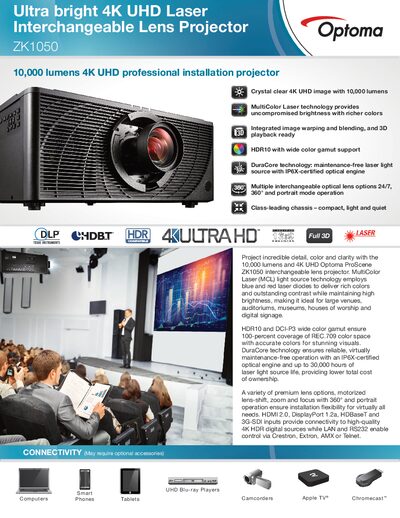
Optoma ZK1050 4K UHD Projector Product Specification Sheet
The Optoma ZK1050 delivers ultra‑bright 4K UHD images using MultiColor Laser technology, providing 10,000 ANSI lumens and a wide color gamut with HDR10 and DCI‑P3 support. It offers flexible installation with motorized lens‑shift, zoom, and 360°/portrait operation, plus HDMI 2.0, DisplayPort 1.2a, HDBaseT and 3G‑SDI inputs.
Technical specifications include a 3840 × 2160 native resolution, 300,000:1 contrast ratio, up to 20,000‑hour laser light source life, and a power consumption of 1040 W (normal mode). The projector ships with a remote, quick‑start guide, and optional accessories such as interchangeable lenses and a Wi‑Fi adapter.
Covers: CONNECTIVITY · OPTICAL/TECHNICAL SPECIFICATIONS · COMPATIBILITY SPECIFICATIONS · USER CONTROLS · I/O CONNECTION PORTS · PHYSICAL SPECIFICATIONS
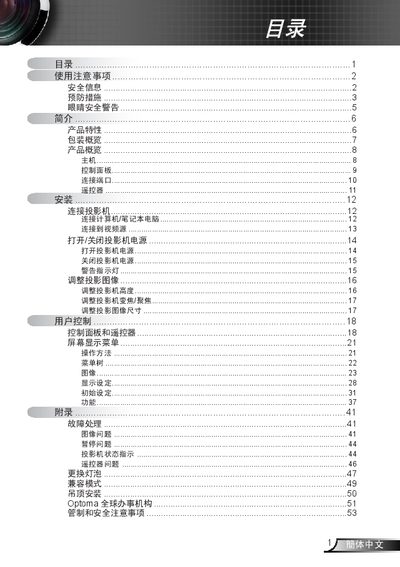
Optoma Projector User Manual
The manual begins with safety information and preventive measures, covering topics such as avoiding electric shock, keeping the projector dry, and proper ventilation. It also details installation procedures, including ceiling mounting and connection of power, VGA, and USB cables.
Subsequent sections describe how to operate the projector using the control panel and remote, adjust image size and focus, replace the lamp, and troubleshoot common issues. FCC compliance, disposal instructions, and warranty information are also included. This manual is written in Chinese.
Covers: 安全信息 · 预防措施 · 产品概览 · 安装 · 灯泡更换 · 故障处理
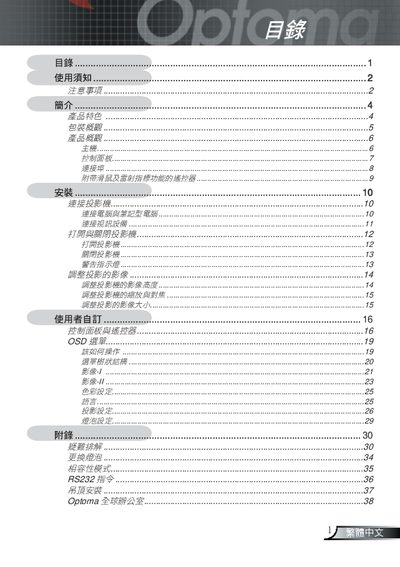
Optoma Projector User Manual
This manual covers essential safety precautions, warnings, and cleaning procedures for the Optoma projector. It explains how to safely operate the device, replace the lamp, and perform routine maintenance.
The guide also details the projector’s features, supported video standards, input connectors, control panel functions, and ceiling‑mount installation requirements, followed by contact information for Optoma service centers worldwide. This manual is written in Chinese.
Covers: Safety Precautions · Warnings · Cleaning Instructions · Product Features · Package Overview · Product Overview
Latest Optoma manuals
Optoma DLP Projector User Manual
User Manual 59 pages · 21.7 MB · ENThe Optoma DLP projector user manual provides setup, operation, safety, troubleshooting, and specifications for end users.
Optoma ZK1050 4K UHD Projector Product Specification Sheet
Product Leaflet 2 pages · 1.7 MB · ENThe Optoma ZK1050 is a 10,000‑lumens 4K UHD laser projector with interchangeable lenses, HDR10, and extensive connectivity options.
Optoma TV SV50/SV65 owner's MANUAL
This document introduces the features and characteristics of a product produced by a certain company. The product has high performance, low power consumption, low cost, and is suitable for certain application scenarios.
Optoma TV RD50/RD65 owner's MANUAL
This document is about Xerox A4 Color Laser Printer Xerox VersaLink C7010 user manual
Optoma Projector User Manual
User Manual 54 pages · 11.7 MB · ZHThis Optoma projector user manual provides safety guidelines, installation steps, operation instructions, and maintenance information.
Optoma Projector User Manual
User Manual 38 pages · 11.8 MB · ZHThe Optoma Projector User Manual provides safety instructions, setup, operation, connection, and maintenance guidelines.
Optoma Projector User Manual
User Manual 57 pages · 5.9 MB · ZHThe Optoma projector user manual provides safety guidelines, setup steps, operation instructions, and troubleshooting help.
Optoma Projector Manual(14)
This manual introduces the features and characteristics of the projector, and introduces how to install, connect, use and maintain the projector.
Optoma Projector Manual(13)
This document introduces the precautions, safety information, and preventive measures for the use of a projector. It also provides detailed descriptions of the features and characteristics of the projector, as well as instructions for installation, adjustment, and operation.
Optoma Projector Manual(12)
This is a projector user manual, which introduces the projector's features and characteristics, installation, operation methods, etc.
Optoma Projector Manual(11)
This document is a user manual of Optoma wireless projector. It introduces the basic function and operation method of the projector.
Optoma Projector Manual(10)
This manual describes the operation and functions of the ZH408 projector.
Optoma Projector Manual(9)
Optoma Projector Manual(8)
This user guide explains the features and operation of the Optoma ZH408ST laser projector.
Optoma Projector Manual(7)
This manual introduces the basic operation of Optoma HD146X home projector, detailed introduction to the projector installation, connection, open/close, adjustment, user control and so on
- 1
- 2
Which document do I need?
User Manual
Day-to-day operation, settings and troubleshooting. Start here if the product is already set up.
Questions answered in Optoma manuals
How do I replace the projection lamp?
First unplug the power cord and let the lamp cool for about one hour before removing it.
How should I clean the projector?
Unplug the power cord, allow the lamp to cool for about one hour, then follow the cleaning instructions.
What is the brightness of the Optoma ZK1050?
The projector provides 10,000 ANSI lumens of brightness.
From: Optoma ZK1050 4K UHD Projector Product Specification Sheet
What warranty does Optoma provide for the ZK1050?
Optoma offers a 3‑year or 20,000‑hour light source warranty, whichever comes first, plus a 3‑year Express advance exchange warranty.
From: Optoma ZK1050 4K UHD Projector Product Specification Sheet
How should I replace the lamp?
Wait for the projector to cool, then follow the replacement instructions on pages 47‑48 and use the Lamp Settings menu.
What safety steps must I take before cleaning the projector?
Turn off the power, use a soft cloth with neutral detergent, and avoid solvents or abrasive cleaners.