
TP-Link is a registered trademark of Shenzhen TP-Link Technologies Co., Ltd. All other trademarks or registered trademarks mentioned in this document are the property of their respective owners. The product specifications and information contained in this manual are for reference only. If the contents are updated, they will be updated without further notice. Unless otherwise stipulated, this manual is for use as a guide only, and all statements, information, etc. in this manual do not constitute any form of warranty.
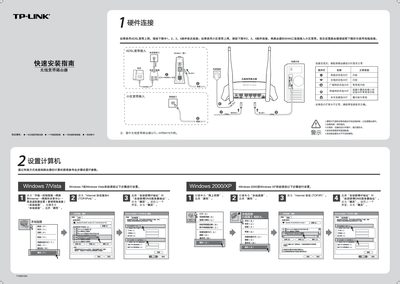
The guide walks you through connecting the router to ADSL or broadband services, checking LED indicators, and performing the initial hardware setup. It also explains how to configure the router via a web browser at the default address 192.168.1.1.
Further sections cover computer network settings for Windows, wireless network configuration, and a FAQ that addresses common issues such as login problems and SSID changes. This manual is written in Chinese.
| Default IP address | 192.168.1.1 |
|---|---|
| Default login credentials | admin / admin |
Check that the router is powered on, the Ethernet cable is correctly connected, and the corresponding LED indicators are lit. Then verify the WAN status in the router’s status page.