
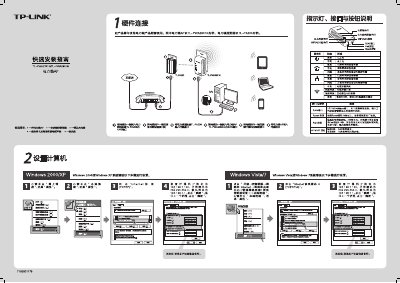
The guide explains the hardware connection of the powerline AP, including plugging the device into a wall outlet and connecting an Ethernet cable to the 10/100 Mbps port. It also describes the indicator LEDs that show power, network, and wireless status, and how to reset the device by holding the Reset button for more than 10 seconds.
Configuration steps cover pairing two devices to form a private network using the Pair button (press 3‑8 seconds within two minutes), accessing the web management interface to set SSID, security mode (WPA‑PSK/WPA2‑PSK) and password, and troubleshooting common issues such as wireless function not enabled or mismatched SSID settings. This manual is written in Chinese.
| Pair button press time | 3‑8 seconds |
|---|