
This is a quick installation guide for a wireless router, which introduces how to set the IP address of the computer and connect to the wireless network
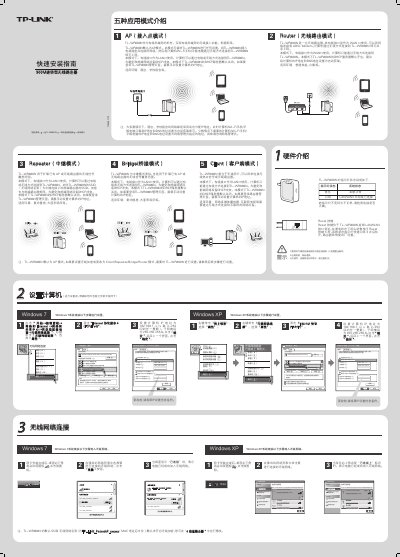
This quick installation guide walks you through connecting the TL‑WR800N to your computer, configuring the IP address, subnet mask and DNS, and verifying the wireless connection. It also explains how to access the router’s web interface at 192.168.1.253 to complete the setup wizard.
The guide describes the five operating modes (AP, Router, Bridge, Repeater, Client), how to change the default SSID, enable wireless security, and reset the device to factory defaults. Hardware details such as LED indicators and the Reset button location are also provided. This manual is written in Chinese.
| Maximum wireless speed | 300 Mbps |
|---|---|
| Default SSID format | TP‑LINK_PocketAP_xxxxxx |
| Reset button location | Bottom of unit near LAN/WAN ports |
| Default operating mode | AP mode |