
This document is a User Guide for FSP GROUP INC. FSP005-DKDB1, FSP005-DKEB1, FSP010-DFCB1 motherboard
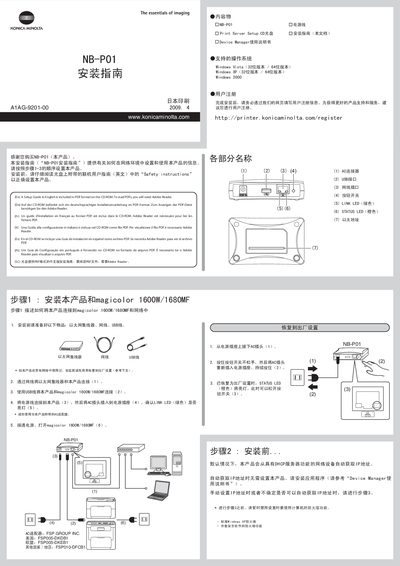
This guide provides step‑by‑step instructions for installing the NB‑01 print server in a network environment. It includes safety notes, required materials, connection procedures, and how to configure the device using the Print Server Setup CD.
The document walks you through preparing Ethernet, USB and power connections, resetting the unit to factory defaults, obtaining an IP address automatically or manually, and accessing the online user guide for further assistance.
| Supported Operating Systems | Windows Vista (32/64‑bit), Windows XP (32/64‑bit), Windows 2000 |
|---|---|
| Required Cables / Connectors | Ethernet hub, Ethernet cable, USB cable |
| LINK LED Indicator | Green when network link is active |
Unplug the AC power, hold the button switch, re‑insert the AC plug while still holding the button, then release when the STATUS LED turns red.
The driver supports Windows Vista (both 32‑bit and 64‑bit), Windows XP (both 32‑bit and 64‑bit), and Windows 2000.